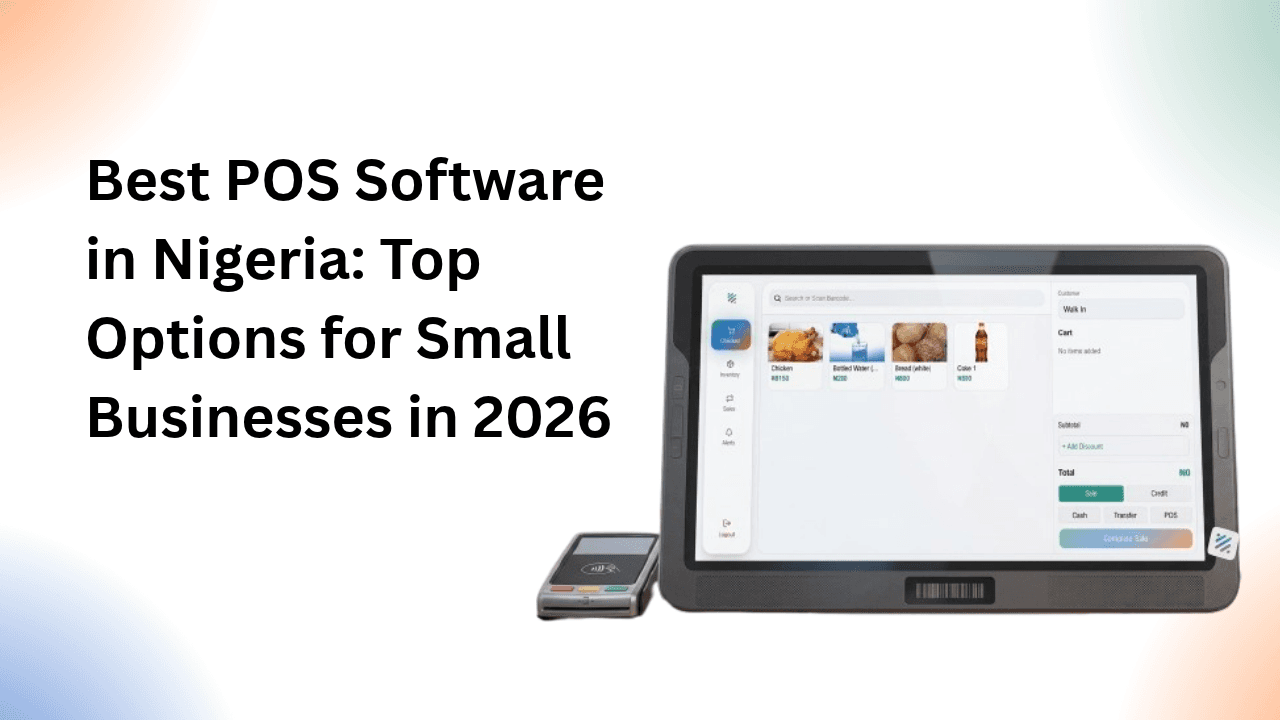
Running a business in Nigeria today requires more than making sales and collecting payments. Business owners also need to track inventory, monitor expenses, manage customers, issue receipts, and understand whether their businesses are actually making a profit. As sales increase, keeping up with all these activities manually becomes more difficult.
This is where POS software comes in.
The best POS software in Nigeria can help you record transactions, manage your stock, reduce errors, and keep your business organised. Depending on the software you choose, you may also be able to track expenses, manage customer debts, monitor cash flow, and generate financial reports from a single platform.
However, not every POS system offers the same features. Some are designed primarily for processing payments, while others help business owners manage their entire retail operations. Choosing the right option depends on the type of business you run, your budget, and the problems you want the software to solve.
In this guide, we explore some of the best POS software options in Nigeria, the features to look for, and how to choose a solution that suits your business.
What Is POS Software?
POS stands for Point of Sale. POS software is a digital system that helps businesses record and manage sales transactions.
When a customer purchases a product, the software can record the items sold, calculate the total amount, apply discounts where necessary, and generate a receipt. Depending on its capabilities, the system can also update inventory automatically and store transaction records for future reference.
For example, imagine you own a provision store in Lagos. You sell groceries, household products, drinks, and other everyday items. Without POS software, you might record sales in a notebook, calculate totals manually, and count your stock at the end of the day.
With a POS system, you can select products from your inventory, record each sale, and have the system calculate the total automatically. If inventory management is included, the quantities of the products sold can also be deducted from your available stock.
Some POS systems go beyond sales processing. They provide expense tracking, customer management, credit sales records, and profit reports, helping business owners understand how their operations are performing.
It is important to distinguish between POS software and a POS payment terminal. A payment terminal is a physical device used to accept card payments, while POS software helps record and manage business transactions. Some solutions offer both, but others focus on one or the other.
Best POS Software in Nigeria
There is no single POS system that is best for every Nigerian business. A supermarket may need barcode scanning and fast checkout, while a fashion store may prioritise inventory management, and a small wholesaler may need to track customer debts and outstanding payments.
The following options serve different business needs.
1. Ventri — Best for Sales, Inventory and Financial Management
Ventri is a business management platform designed for Nigerian small businesses that want to manage their sales, expenses, inventory, customer debts, and profitability in one place.
Rather than focusing only on recording transactions, Ventri helps business owners maintain a clearer picture of their finances. This is particularly useful for businesses that have grown beyond simple handwritten records but are not ready for complicated enterprise software.
With Ventri, businesses can record sales, track expenses, manage products and stock levels, issue invoices and receipts, and monitor customers who purchase on credit. The platform also helps business owners understand their revenue, costs, and profit using their recorded business transactions.
VentriPOS extends these capabilities to point-of-sale operations, providing a checkout workflow for businesses that need to process sales and manage products more efficiently.
Key features include:
- Sales recording and transaction management.
- Inventory tracking and stock management.
- Expense tracking and financial reporting.
- Customer debt and credit sales management.
- Invoices, receipts, and discounts.
- Business performance and profitability tracking.
- POS checkout functionality through VentriPOS.
Best for: Small and growing businesses in Nigeria that want to manage day-to-day sales alongside inventory and financial records.
Why consider Ventri?
A business can record thousands of naira in sales every day and still struggle financially if it does not know its actual expenses, product costs, and outstanding customer debts. Ventri helps address this problem by bringing important business records together.
For a business owner who wants more than a tool for processing sales, Ventri offers a broader approach to business management.
Website: https://www.ventri.online/
2. Bumpa — Best for Retail Businesses and Online Selling
Bumpa is a Nigerian business management platform aimed at helping entrepreneurs manage and grow their businesses. It is particularly relevant to retailers and businesses that sell through social media, online stores, and physical channels.
Businesses that receive orders through Instagram, WhatsApp, and other online channels may benefit from tools that bring sales and customer information into a more organised workflow.
Depending on the available plan and product features, Bumpa can support activities such as order management, inventory tracking, customer management, and online selling.
Key features to consider:
- Sales and order management.
- Product and inventory management.
- Customer information management.
- Online store and digital selling tools.
- Business reporting.
Best for: Retailers, fashion brands, and small businesses that sell online and want to organise their orders and business operations.
Why consider Bumpa?
If your business receives orders from multiple channels, having a platform that helps organise products, customers, and orders can make daily operations easier. It is worth comparing Bumpa's current plans and POS capabilities with your requirements before choosing a subscription.
Website: https://www.getbumpa.com/
3. Loyverse POS — Best for Small Retail Stores and Cafés
Loyverse POS is a point-of-sale system designed for retail businesses and food service establishments. It is known for its POS application and supporting tools for inventory, customer loyalty, and sales analysis.
For a small business owner who needs a digital checkout system without investing in a large retail management platform, Loyverse may be worth considering.
Its mobile-based approach can be useful for businesses that want to use a compatible phone or tablet as part of their checkout setup.
Key features include:
- Sales processing and digital receipts.
- Product and inventory management.
- Customer database and loyalty tools.
- Sales analytics and reporting.
- Employee management features, depending on the tools and plan used.
Best for: Small retail shops, cafés, restaurants, and businesses that need a straightforward POS application.
Why consider Loyverse?
Loyverse can be a practical starting point for businesses that want to move away from manual sales records. However, you should confirm that its available payment integrations, reporting capabilities, and operational features meet your specific needs in Nigeria.
Website: https://loyverse.com/
4. Odoo POS — Best for Businesses That Need an Integrated Business System
Odoo is a business management platform with applications for point-of-sale operations, inventory, accounting, sales, purchasing, and other business processes.
Unlike a standalone POS application, Odoo allows businesses to connect their checkout operations to a wider business management system. This can be helpful when a business has more complex processes or wants to integrate multiple departments.
Key features include:
- POS sales and checkout management.
- Inventory and warehouse management.
- Product and pricing management.
- Integration with other Odoo business applications.
- Reporting and business administration tools.
Best for: Growing retailers, restaurants, wholesalers, and businesses that need a more comprehensive operational system.
Why consider Odoo?
Odoo is worth exploring if your business needs extend beyond checkout and stock management. However, the time and cost required to configure, customise, and maintain the system should be considered when comparing it with simpler POS solutions.
Businesses should also verify the availability of the required payment integrations and local accounting configurations before implementation.
Website: https://www.odoo.com/
5. Shopify POS — Best for Retailers Selling Online and In Person
Shopify POS connects in-person retail operations with Shopify's online commerce platform. It is particularly useful for businesses that operate both an online store and a physical shop and want to manage their sales through a connected system.
For example, a fashion retailer might sell through an e-commerce website while also serving customers at a physical store. A connected POS setup can help bring product, order, and customer information into one retail workflow.
Key features include:
- In-person sales processing.
- Integration with Shopify's online store.
- Product and inventory management.
- Customer and order management.
- Retail reporting and sales tracking.
Best for: Retail businesses with both online and physical sales channels.
Why consider Shopify POS?
Shopify POS is most relevant when online commerce is a significant part of your business. However, Nigerian businesses should carefully check the availability of supported payment methods, hardware compatibility, subscription costs, and any regional limitations before committing to the platform.
Website: https://www.shopify.com/pos
6. Square POS — Best for Businesses in Supported Markets
Square POS provides sales processing and business management tools for retailers, restaurants, and service businesses. Its ecosystem includes checkout tools, payment processing, and additional operational features.
The platform is popular in markets where Square's payment services are supported, but its suitability for a Nigerian business depends on regional availability.
Key features include:
- POS checkout and sales recording.
- Product and inventory management.
- Sales reporting.
- Customer management.
- Additional retail and restaurant tools.
Best for: Businesses operating in countries where Square's POS and payment services are officially supported.
Why consider Square POS?
Square provides an example of how POS software can combine checkout with other business tools. However, Nigerian businesses should not assume that all Square features, payment services, or merchant accounts are available locally. Confirm eligibility and regional support before investing in the system.
Website: https://squareup.com/
7. QuickBooks — Best for Businesses That Prioritise Accounting
QuickBooks is primarily an accounting and financial management platform rather than a dedicated POS solution in every market. It helps businesses organise income, expenses, invoices, and financial records.
For a business that already has a separate checkout system, QuickBooks may help with the accounting side of its operations. Some configurations and third-party integrations can connect sales systems with accounting workflows.
Key features include:
- Income and expense tracking.
- Invoicing and financial records.
- Accounting reports.
- Cash flow visibility.
- Connections with supported business applications.
Best for: Businesses that need structured accounting and financial reporting alongside their existing sales tools.
Why consider QuickBooks?
Accurate accounting is essential for understanding whether a business is profitable. However, if you need a POS system that directly manages checkout and stock movements, confirm the suitability of the particular QuickBooks product and any required integration before choosing it as your primary POS solution.
Nigerian businesses should also check the availability of relevant local features, payment integrations, and pricing.
Website: https://quickbooks.intuit.com/
8. ERPLY — Best for More Advanced Retail Operations
ERPLY provides retail management and POS software designed for businesses that need more advanced tools for inventory, sales, and store operations.
It may be relevant to retailers managing larger product catalogues, multiple locations, or more complicated stock and checkout processes.
Key features include:
- POS and retail transaction management.
- Inventory and product management.
- Multi-location retail support.
- Customer management.
- Reporting and retail administration tools.
Best for: Established retailers and businesses with more complex inventory and store management requirements.
Why consider ERPLY?
Businesses with multiple branches or extensive inventories may need capabilities that basic POS applications do not provide. ERPLY is worth evaluating if you need these features, although implementation costs, local support, integrations, and regional suitability should be assessed before making a decision.
Website: https://erply.com/
How to Choose the Best POS Software in Nigeria
Comparing POS systems by their names alone will not tell you which one is right for your business. The better approach is to identify the problems you need to solve and compare the available features against those needs.
Here are the most important factors to consider.
1. Sales Recording and Checkout Speed
Your POS software should make it easy to record transactions without slowing down your business.
Look for a system that lets you find products quickly, calculate totals automatically, apply discounts, and issue receipts. If you operate a busy shop, supermarket, restaurant, or pharmacy, an efficient checkout process can make a significant difference.
Before subscribing, test the system using the products and transaction types you handle every day.
2. Inventory Management
Inventory management is one of the most important features for product-based businesses.
When you sell an item, you need to know how much stock remains. Without accurate stock records, you may run out of popular products unexpectedly, order items you already have, or lose money through unexplained stock discrepancies.
Look for POS software that can update stock quantities after sales, show low-stock items, record stock additions, and help you investigate differences between your physical inventory and digital records.
If you sell products by weight, length, volume, or other fractional quantities, confirm that the system supports your units of measurement.
3. Expense Tracking and Profitability
Recording sales tells you how much money your business receives from customers. It does not automatically tell you how much profit you make.
Consider a shop that generates ₦500,000 in sales during a month. The owner may feel that the business is performing well, but the actual result depends on the cost of the products sold, rent, transportation, electricity, staff costs, bank charges, and other expenses.
A good business management system should help you keep these records and understand the relationship between revenue, costs, expenses, and profit.
If profitability is a major concern, choose a solution that offers more than sales totals. Also check how it calculates profit and whether you can record all the costs relevant to your business.
4. Customer Credit and Debt Management
Many Nigerian businesses allow trusted customers to purchase goods and pay later. This is common in neighbourhood shops, wholesale businesses, distribution, and other retail operations.
However, credit sales can create cash flow problems when customers delay payment or the business owner loses track of outstanding balances.
If your business sells on credit, look for software that records the amount owed by each customer, tracks repayments, and shows outstanding debts.
This makes it easier to follow up on unpaid balances and understand how much money customers still owe your business.
5. Payment Methods and Local Compatibility
Your POS system should fit the way your customers pay.
Depending on your business, you may accept cash, bank transfers, card payments, or other supported payment methods. Check whether the software records each method correctly and whether it integrates with the payment providers you use.
Remember that recording a transfer or cash payment in POS software is not the same as processing that payment directly. If you need integrated card processing or payment settlement, confirm that the provider supports your business and location.
6. Ease of Use
A POS system should make your work easier, not introduce unnecessary complexity.
If your employees struggle to record sales or update stock, you may end up maintaining paper records alongside the software, undermining the purpose of adopting it.
Look for a system with a clear interface, a manageable learning curve, and the ability to perform routine tasks quickly. Consider whether you can train your staff without spending excessive time or money.
7. Pricing and Hidden Costs
The cheapest POS software is not necessarily the most affordable option in the long run.
Some platforms offer free entry-level applications but charge for advanced features, additional users, integrations, or hardware. Others may require paid implementation or ongoing support.
Before choosing a system, calculate the total cost of using it. Consider the subscription, payment processing fees, devices, internet access, staff training, and any additional services you need.
Also confirm whether the advertised price is billed monthly or annually and whether it applies to businesses in Nigeria.
8. Reports and Business Insights
Your POS records should help you make better business decisions.
Useful reports may include daily and monthly sales, best-selling products, inventory levels, expenses, outstanding debts, and gross or net profit, depending on the system.
These insights can help you identify which products perform well, which expenses are increasing, and whether your business is improving over time.
Do not choose a system based solely on the number of reports it advertises. Focus on whether those reports answer the questions you regularly ask about your business.
9. Internet Access and Offline Capabilities
Internet connectivity can vary by location, so consider what happens when your connection becomes unreliable.
Some POS systems offer offline functionality for certain operations, while others require an active internet connection. Offline capabilities may also differ between recording sales, processing payments, and synchronising inventory.
If your business operates in an area with unreliable internet, confirm exactly which features continue working offline and how transactions are synchronised when the connection returns.
10. Data Security and Customer Support
Your POS system may contain sensitive business information, including sales records, product costs, customer details, and financial reports.
Choose a provider that takes data protection seriously and offers appropriate access controls, secure authentication, and reliable backup arrangements.
You should also know how to contact customer support if you encounter problems with checkout, stock records, or access to your account. For a business that depends on daily sales, unresolved technical problems can disrupt operations.
What Is the Difference Between POS Software and Business Management Software?
Although these terms sometimes overlap, they do not always mean the same thing.
POS software focuses primarily on recording sales and managing the checkout process. Depending on the platform, it may also include inventory, receipts, customer information, and sales reports.
Business management software covers a broader set of activities. In addition to sales and inventory, it may include expense tracking, accounting, customer debts, cash flow, profitability, and other administrative functions.
For example, a business owner might use POS software to record ₦80,000 in sales in one day. The system may also show which products were sold and how much stock remains.
However, the owner still needs to know how much those products cost, what the business spent on transportation and other operating expenses, and whether customers purchased goods on credit.
A broader business management platform can help bring those records together.
Which should you choose?
If your main problem is slow checkout, a straightforward POS system may be enough. If you also struggle to track expenses, manage credit sales, monitor stock, and calculate profit, consider a platform that combines POS functionality with wider business management features.